Userorbit logo

Updates

New updates and improvements to Userorbit.

Your marketing site, product, and customer portal do not need to share the same widget. You can now create multiple Userorbit widgets, each with its own appearance, tabs, targeting, and install code.

One workspace, a tailored experience everywhere

  • Match each surface — configure the content, navigation, and design for your website, app, docs, or customer portal.

  • Focus each audience — show the right support, updates, feedback, and shortcuts for every use case.

  • Install widgets independently — every widget gets a unique key and copy-ready snippet, so you decide exactly where it appears.

  • Keep your current setup intact — existing installs continue using the default widget, and an invalid widget key falls back safely to it.

Create a widget, configure it, then copy its install code. Open Settings → Channels → Widget to build your first one.

Comments·0

Not every respondent should see the same follow-up questions. With survey branching, you can now create adaptive survey paths that respond to each answer.

Add rules to any survey step and choose what happens next. Send respondents to a specific question, skip steps that are not relevant, or end the survey early. Rules are evaluated from top to bottom, and the first match is used, so even complex flows stay predictable.

More relevant questions, better answers

  • Personalize the path — show follow-up questions based on what someone selects.

  • Reduce survey fatigue — skip questions that do not apply to the respondent.

  • Qualify and segment — route different audiences through the same survey without creating duplicates.

  • Keep logic clear — review every branch in one visual flow before publishing.

Branching works well for onboarding research, product-market fit surveys, NPS follow-ups, lead qualification, and any survey where the next useful question depends on the previous answer.

Open a survey, add your questions, then choose Branching logic to shape the experience for every respondent.

Comments·0

Customer support rarely happens in one place. A question starts in email, the widget, your help center, or Slack. The answer may need input from product or engineering. Then the product signal gets copied into another tool, while the customer waits.

Today, we are introducing Userorbit Support: a complete support workspace built alongside your feedback and knowledge base. It brings customer conversations, team collaboration, automation, and product context into one connected workflow.

One inbox for every support channel

Bring requests from email, the Userorbit widget, your help center, Slack, or your API into one inbox. Your team can work from a single conversation and send replies back through the channel the customer used.

  • Forward a support address into Userorbit and keep email threads together.

  • Let customers start a conversation from your widget or branded help center.

  • Connect Slack channels and choose whether messages become a channel-wide conversation, one thread per top-level message, or a support request only when your team decides.

  • Share attachments across the conversation, keep Slack edits and deletions in sync, and deliver replies through the original channel.

Customers also get continuity. They can securely sign in with an email link or SSO to view current and past requests, reply, attach files, and reopen a closed request. Secure widget identification helps ensure conversations are shown to the right customer. For widget conversations, optional email reminders bring people back when they have not seen your reply.

A calmer queue with the context to act

Userorbit Support is designed for the real work between “new” and “resolved.” Organize conversations into Todo, Snoozed, and Done; assign one or more teammates; set priority, labels, account tier, and status; and use saved views to give each team the queue it needs.

SLAs show what needs attention before a commitment is missed. Bulk actions make high-volume triage faster, while similar-thread suggestions and thread merging keep one issue from becoming several. Open any request to see the customer, company, prior conversations, recent product activity, related feedback, article reactions, and similar threads without leaving the inbox.

AI assistance and automation, with your team in control

AI assistance can draft a reply and suggest the intent, urgency, priority, status, and labels for a conversation. Your team chooses what to send and which triage suggestions to apply.

Automatic first replies can be configured by channel and can include relevant articles from your Userorbit help center. When a conversation produces a reusable answer, turn it into a help article draft directly from the thread so today’s support work improves tomorrow’s self-service.

For repeatable processes, visual Workflows automate the steps around a support conversation. Start a workflow when a thread is created, a customer or agent replies, ownership or priority changes, or on a schedule. Add conditions, wait for the right moment, then assign teammates, apply labels, change status or priority, snooze work, send a reply or internal note, notify Slack, call a webhook, and more. Run history makes every automation visible.

Support, product, and engineering in the same loop

A support conversation should not end as a closed ticket. Link it to existing feedback, create a follow-up task, connect a relevant help article, or mark and merge a duplicate. Suggested links and similar threads help surface related context faster.

When a request needs another team, start a private discussion over Slack or email from the conversation. Userorbit includes the visible thread context, keeps the discussion attached to the request, and lets your team reply, resolve, or reopen it without losing the customer story.

Work from Slack when Slack is where your team works
Userorbit can post new-thread alerts, personal notifications, and daily or weekly queue digests to Slack. Teammates can assign a request, update its status, or reply to the customer from the Slack notification; the reply is delivered through the customer’s original channel and saved in Userorbit.

You can also send new-feedback notifications to selected Slack channels, filter them by feedback board, and choose whether customer identity is included.

Available now

Userorbit Support is available on the Scale plan and above. Open Support to connect your first channel, invite your team into the inbox, and turn every customer conversation into faster answers and better product decisions.

Comments·0

You can now build product tour themes with dedicated light and dark variants.

Theme support makes tours feel native in applications that support dark mode, follow system preference, or need different styling for different surfaces.

What is included:

  • Switch between Light and Dark while editing a theme.

  • Preview product tours, tooltips, banners, checklists, and surveys before saving.

  • Customize colors, text, overlays, buttons, borders, arrows, beacons, and badges per mode.

  • Use light, dark, or system from the SDK to match your application theme.

  • Update the active theme mode at runtime with userorbit.updateTheme().

This is available now from Tours → Themes.

Built from Feedback

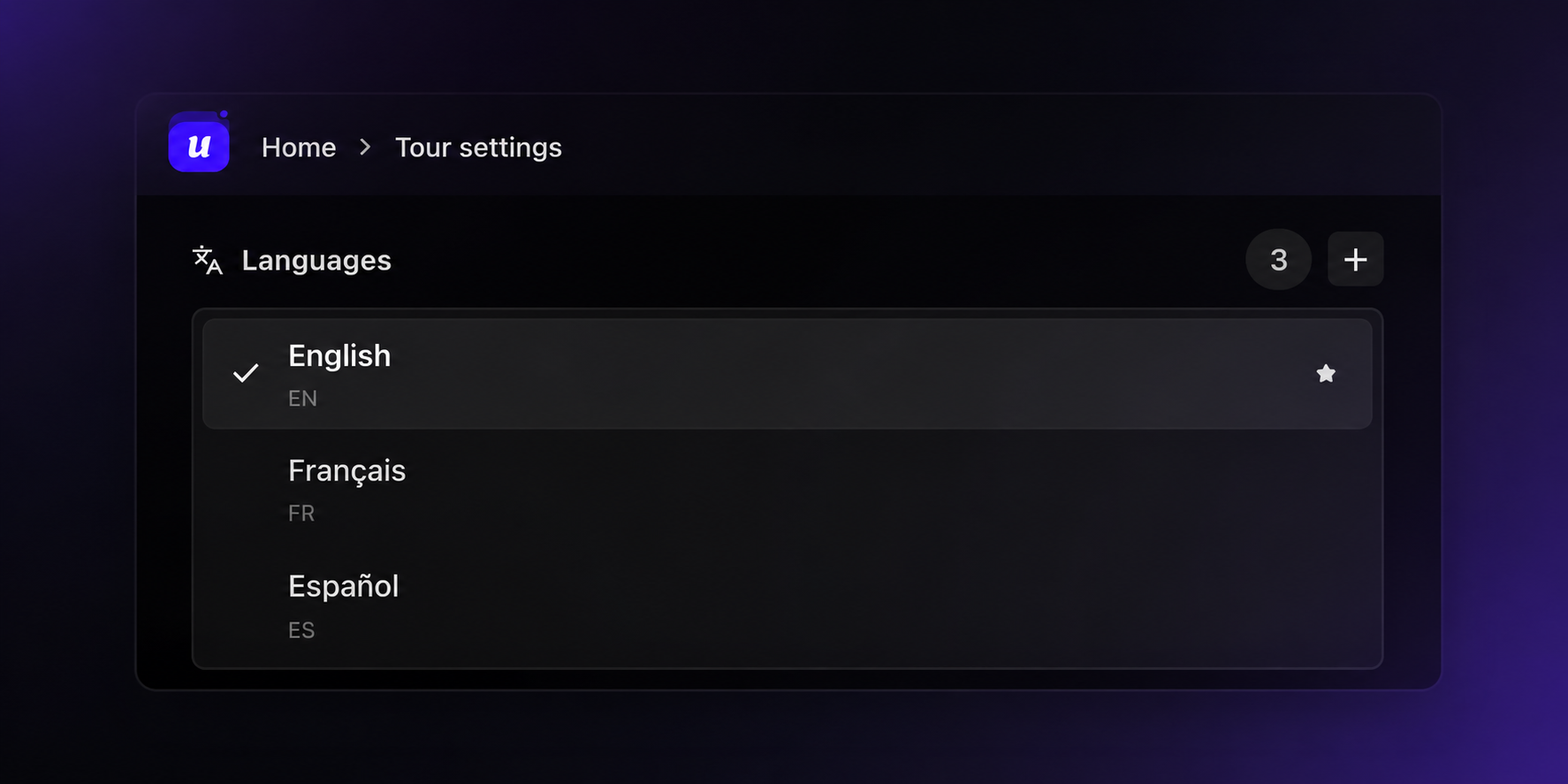
You can now create product tours in multiple languages, making it easier to onboard and guide users across global audiences.

Add languages from Tour settings, choose a default language, and translate each tour step without duplicating the entire tour. Userorbit will serve the right content based on the selected or detected locale, while falling back to your default language when a translation is not available.

This is especially useful for teams shipping onboarding, feature education, and in-app announcements to customers across regions.

What is included:

  • Add and manage supported languages for each tour.

  • Set a default language for the canonical tour content.

  • Translate step titles, descriptions, progress text, and button labels.

  • Preview translated tours while editing.

  • Use locale-aware delivery from the JavaScript SDK.

Multi-language support is available now for product tours.

Comments·0

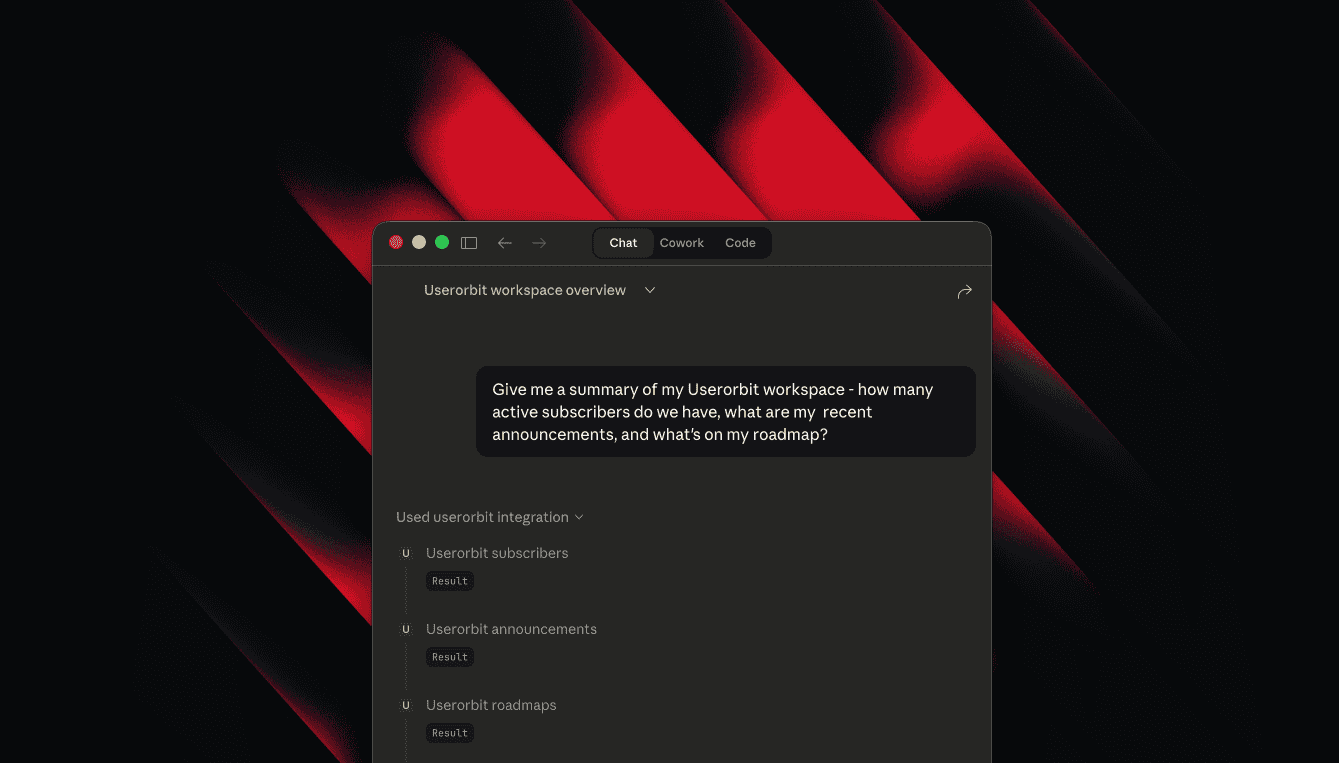
Managing Userorbit resources like announcements, feedback, roadmaps, and help content often requires switching between multiple tools and platforms, disrupting your development and communication workflows.

So we're excited to announce the release of the Userorbit MCP Server. This new server allows you to manage all your Userorbit resources directly from popular MCP-compatible AI assistants such as Claude Code, Claude Desktop, Cursor, Windsurf, and VS Code, streamlining your product communication and development processes.

A few things you can do with this:

  • Create and update announcements from release notes without leaving your editor.

  • Triage feedback, move items across roadmaps, and keep product plans current.

  • Draft and maintain help center articles alongside product changes.

  • Manage subscribers, tags, and projects through the same assistant workflow.

Getting Started

  • Add @userorbit/mcp to your MCP configuration using the command npx.

  • Set your USERORBIT_API_KEY and USERORBIT_TEAM_ID, which can be found in Settings → API.

  • Start your AI assistant and begin calling resource tools with an action and relevant params.

The Userorbit MCP Server is available now. It currently exposes 17 resource-level tools across the Userorbit API, with more integrations planned for the future.

Comments·0

What if your code could update your docs, tours, and changelogs?

Connect your GitHub repo and we start watching for changes. We scan your codebase to map every feature, route, and endpoint, detect what changed, and propose updates across every channel — help docs, tours, changelogs, surveys, and announcements.

Nothing auto-publishes. You review and approve.

Code changes. Content follows.

Comments·0

AI-powered features — changelog generation, writing assistant, and autopilot — are now metered by plan. Each plan tier includes a monthly quota of AI generations.

You can track your current usage and remaining quota from Workspace Settings → Usage. When you approach your limit, you will see a notification in the editor. Quotas reset on the first of each month.

Free plans include a limited number of generations to try the features. Pro and Enterprise plans include higher quotas suitable for regular use. If you need more, contact us about custom limits.

Comments·0

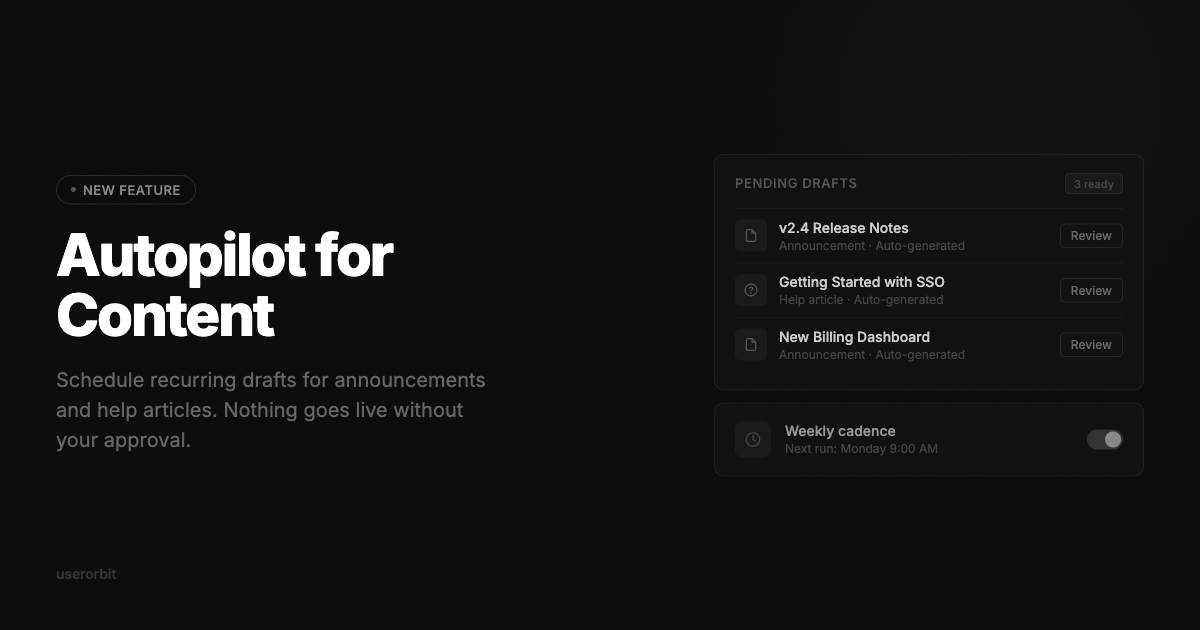
The automation engine lets you schedule recurring content generation. Set a cadence — weekly, biweekly, or on every release — and Userorbit drafts announcements or help articles from your connected sources automatically.

Each automation run produces a draft you can review, edit, and publish. Nothing goes live without your approval.

Access automations from the Cmd+K agent panel or the dedicated Autopilot page. The stats view shows generation history, publish rates, and average time from draft to publish.

Autopilot is available on Pro and Enterprise plans.

Comments·0

Connected a GitHub repo or Slack workspace? You can now select a range of commits or a thread and have Userorbit draft a changelog entry from the source material.

The generation pipeline streams results with live thinking steps so you can follow the reasoning as it writes. Once a draft is ready, you get action chips to publish, save as draft, or archive — one click to move it forward.

Every AI-generated action supports undo. If you publish and change your mind, roll it back without hunting through version history.

This works for announcements today. Help center article generation is coming next.

Comments·0

The help center now has an Organize page with a drag-and-drop tree view. Reorder articles within collections, move articles between collections, and nest subcategories — all without leaving the page.

Team invitations have been streamlined. Invite members by email, assign roles upfront, and track pending invitations from the team settings page. Accepted invites now provision access instantly.

The announcement editor includes an AI writing assistant. Open the chat panel, describe what you want to say, and get a draft you can edit inline. The assistant uses your workspace context — recent changes, product name, tone — to produce relevant first drafts.

Comments·0

Every tour, survey, and announcement now has its own analytics view. See completion rates, step-level drop-offs, and engagement trends over time.

For tours, track which steps users finish and where they abandon. For surveys, see response distributions and completion percentages. For announcements, monitor read rates and reaction breakdowns.

A workspace-level dashboard aggregates performance across all entities — total views, unique engagers, and weekly trends. Filter by date range or content type to focus on what matters.

Analytics are available on all plans with no additional setup.

Comments·0

Userorbit now integrates with GitHub and Slack to bring your development activity and team conversations into one place.

GitHub: Connect via OAuth and select which repositories to track. Userorbit indexes commits, pull requests, and releases so you can reference real changes when writing announcements.

Slack: Link channels and threads to your workspace. Surface product discussions, customer requests, and internal decisions alongside your content pipeline.

Both integrations are managed from a centralized Integrations settings page. Connect once, then use the data across announcements, help articles, and roadmap items.

Comments·0

Announcements, tours, and checklists now support subscriber variables. Insert merge tags like {{name}} or {{plan}} and each subscriber sees content tailored to their profile.

The authoring UI makes it easy to browse available variables and insert them inline. Variables resolve at render time, so you write once and every subscriber gets a personalized experience.

Other updates in this release:

  • Quick-create for checklists and surveys — start from a template instead of a blank canvas
  • Compact feedback mode — a minimal feedback prompt that takes less screen space
  • Voice feedback — let users leave audio responses alongside text
  • Inset tooltips, live entity links in the editor, and external link support in tours

Comments·0

The embedded widget has been completely rebuilt. The layout is cleaner, transitions are smoother, and the entire component renders significantly faster.

Key changes:

  • Active tabs — filter between announcements, feedback, and roadmap items without leaving the widget
  • Updated card design with better visual hierarchy and spacing
  • Lazy-loaded content panels so the widget opens instantly
  • Improved dark mode support with consistent contrast ratios

The widget is still initialized the same way — no code changes required on your end.

Comments·0